Project tech description
To use reusable comoments we use MUI to build our application so we were able to use those elements on different pages with ease and accelerate our work.
To switch between pages we used components from react-router-dom package that contains bindings for using React Router.
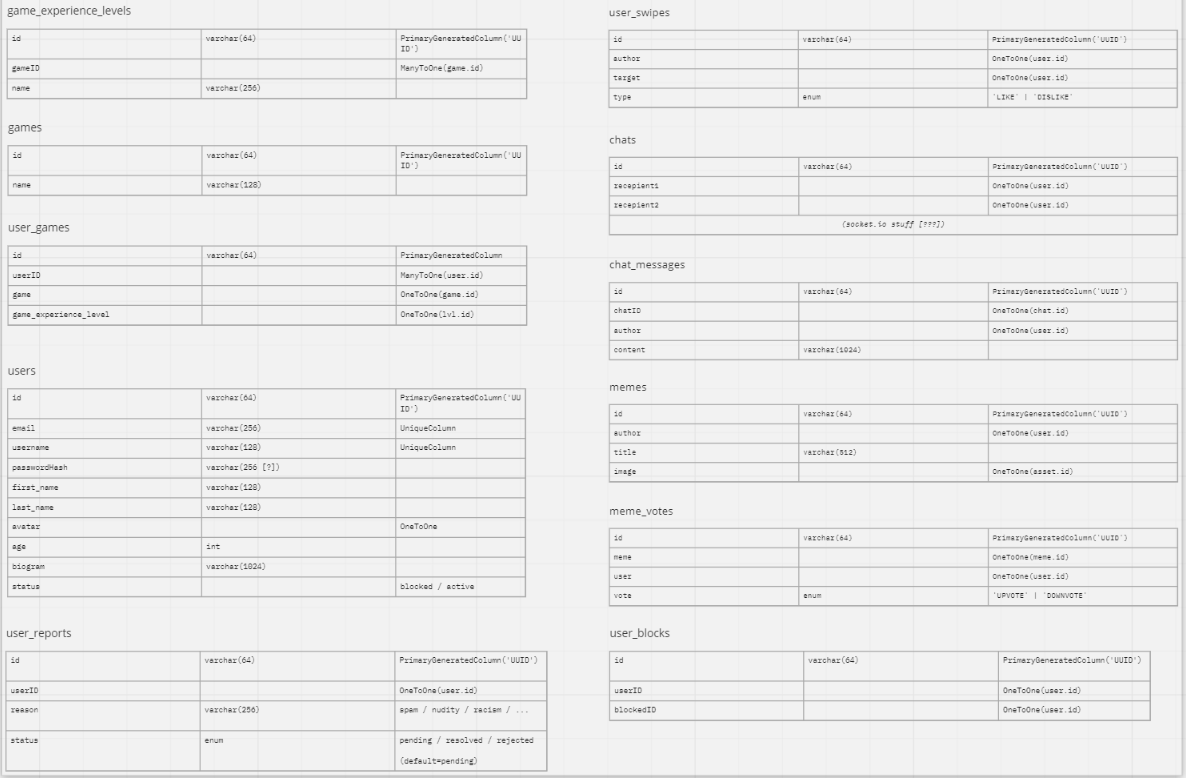
To create a database for storing, managing and providing information we used PHPMyAdmin.
Project Setup#
Our program can be started directly by clicking on this link.
To run the project locally follow these steps:
- Clone this repository
- Open repository in your code editor
- Run command yarn install - without this you will not be able to run the app!
- Copy .env.example to .env file.
- Run command yarn start to activate the app in the development mode.
- Enter the local host that was created which by default is http://localhost:3000/
Notes (for Windows users):#
- If you are a Windows user, please use Git Bash or any other UNIX-like shell (e.g. Git Bash). Some commands MAY NOT work on default Windows Command Line.
- In addition, you may come across linebreak-style error because Windows enforces the usage of Windows line endings:
\r\n- if it happens, useyarn formatcommand and then error should not occur.
Tech requirements#
To run this project you have to:
- Clone this repository
- Run
yarn installin root directory - Copy .env.example to .env file.
- Run
yarn startto open live server
Other commands
yarn test- launches the test runner in the interactive watch modeyarn lint- Checks every source code file using ESLint and rules described in.eslintrcyarn format- formats entire project using Prettier according to formatting rules described in.prettierrc
Technologies used#
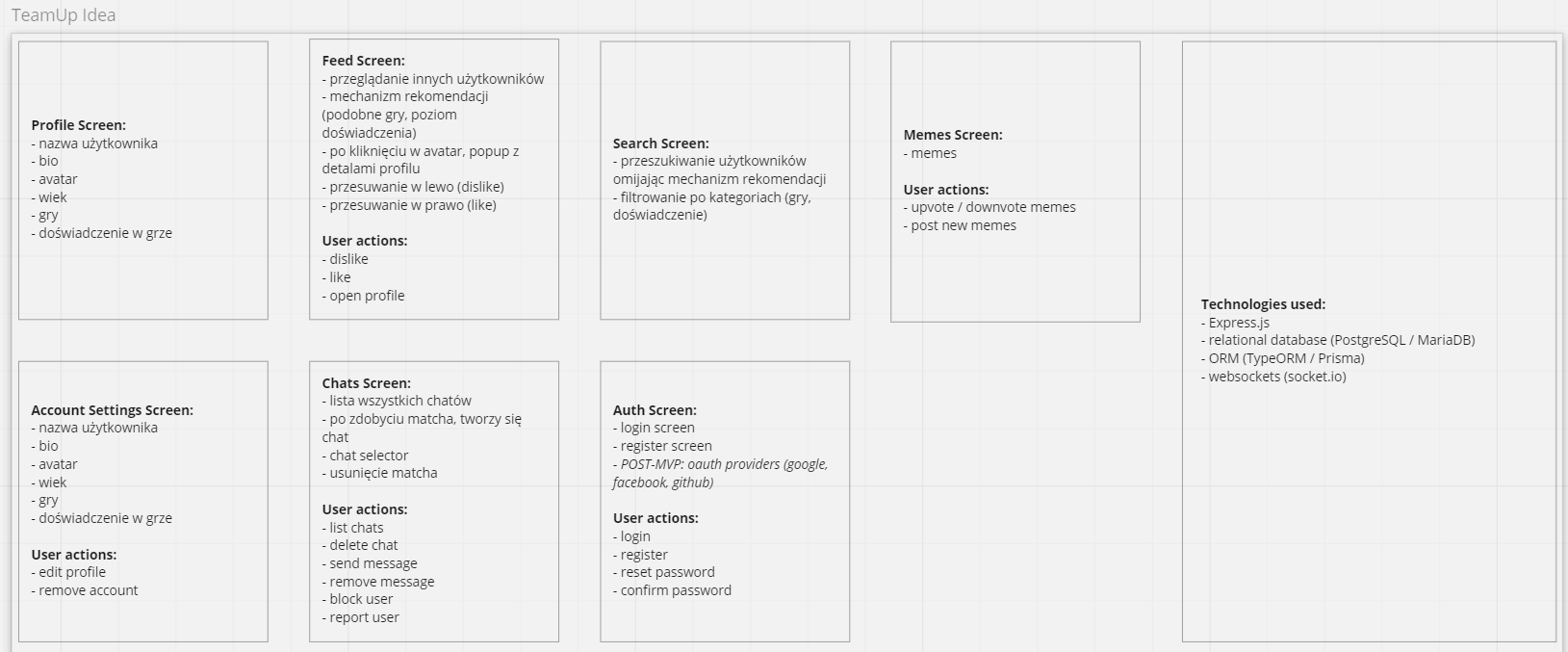
The program was created using the following technologies:
Flow#